
Log in to access all of your ProService features. Need help? Visit our help guide.
Other HR Logins
Important: If you are enrolling online via your HR portal, Prism, you do not need to enroll separately in the NBS portal.
Otherwise, please visit the NBS Portal to enroll. You’ll need your NBS Employer ID which will be provided in your Open Enrollment instructions packet. Click here to visit the NBS portal and follow these instructions:
A Health Care Flexible Spending Account (FSA) is a voluntary benefit option that allows you to use tax-free dollars to pay for out-of-pocket health care expenses that you incur for yourself and your immediate family members. This benefit can be used to pay for expenses such as co-insurance, prescription medication co-pays, and other expenses that are not covered by your health, dental, vision, and drug insurance.
Depending on your tax bracket, you could realize a tax savings of 15-30% on health care expenses and lower your IRS reported income which saves you money.
Please check with either your employer or ProService Hawaii if you are eligible for this benefit.
Per IRS tax rules, the following are not eligible to participate:
Important: If you are enrolling online via your HR portal, Prism, you do not need to enroll separately in the NBS portal.
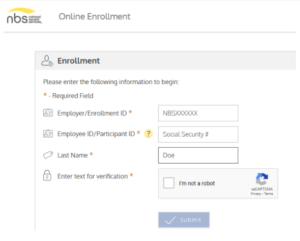
Otherwise, please visit the NBS Portal to enroll. You’ll need your NBS Employer ID number to enroll online. This information is available on your Open Enrollment instructions packet. Or, call ProService Hawaii at (808) 394-3118 to get your NBS Employer ID.
How to enroll online:
If this is your first time participating in the FSA, you will need to first enroll by following the above “If I am eligible, how do I enroll?” question, then you can set up your online account.
Get to the website:
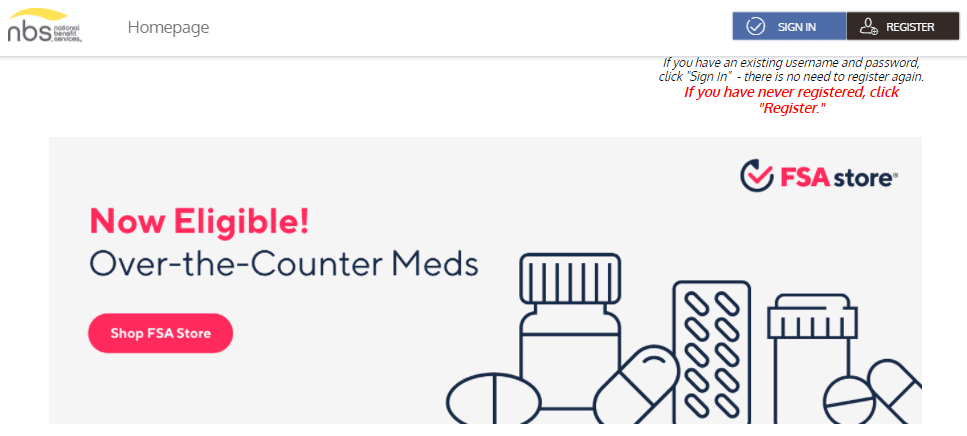
Complete the required fields of the registration form:
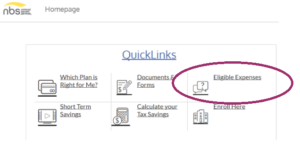
Go to my.nbsbenefits.com. Under the QuickLinks section at the bottom of the page, click on Eligible Expenses and you’ll find tools like an eligibility list and FSA calculator that can help you estimate how much you can save with FSA.
You can submit claims to National Benefit Services (NBS) in the following ways:
The plan will automatically rollover up to the IRS plan limit amount for that particular plan year in your FSA account for use in the next plan year. Any amount in excess of the IRS plan limit will be forfeited.
There is a run out period between January 1 – March 31 to file claims for services rendered in the previous calendar year. This means you will have until March 31, 2026 to file claims for services rendered in 2025.
*Note: The rollover amount will vary depending if your employer opted to increase this amount per IRS cost of living adjustments.
Changes can only be made within 30 days of a qualifying event and will take effect on the first of the following month. The IRS determines what is considered a qualifying event or qualified change of status. Some examples of qualified changes are birth of child, death, divorce, or marriage.
Your participation and salary deduction ends. You will no longer be able to incur expenses for reimbursement as of your termination date. You have 90 days from the date of termination to submit claims for expenses incurred prior to the termination date. Any balance left in the account after 90 days will be considered forfeit. You may choose to continue this coverage under COBRA.
Log in to access all of your ProService features. Need help? Visit our help guide.